For businesses across the US · Team based in Dallas, Texas · On-site visits nationwide
AI automation and integration · for US businesses

AI workflow automation for the work behind the scenes

Much of a team’s week goes on work nobody sees: reading documents, retyping details, sorting emails and pulling numbers together. We connect AI to the systems you already run so that work happens on its own, and your people check results instead of producing them.

Prototype in 2 weeks · Team based in Dallas, working with businesses anywhere in the US

What we build

What we automate

Document processing

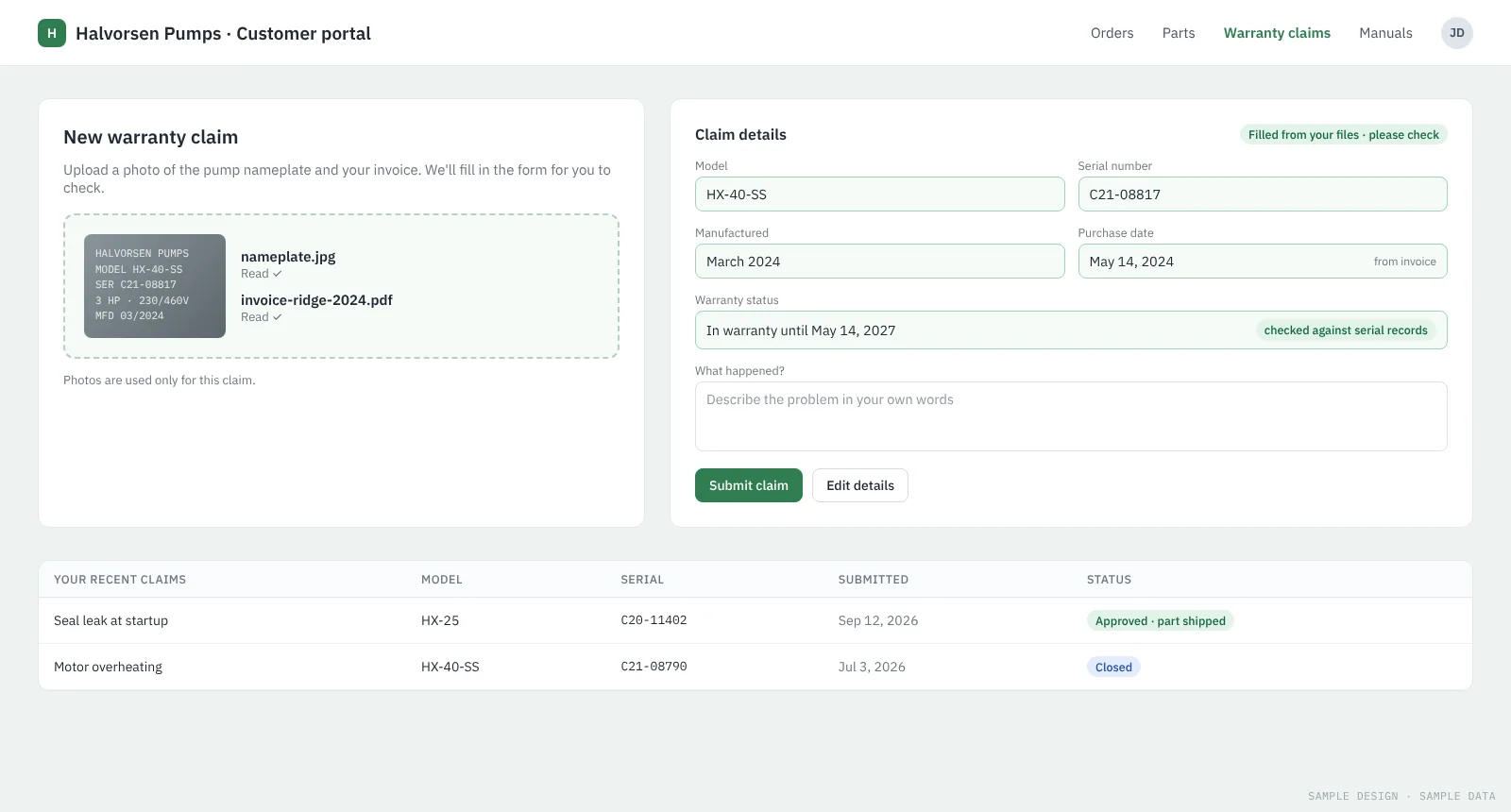
Applications, contracts, claims, forms and scans read, checked against your records and entered into your systems.

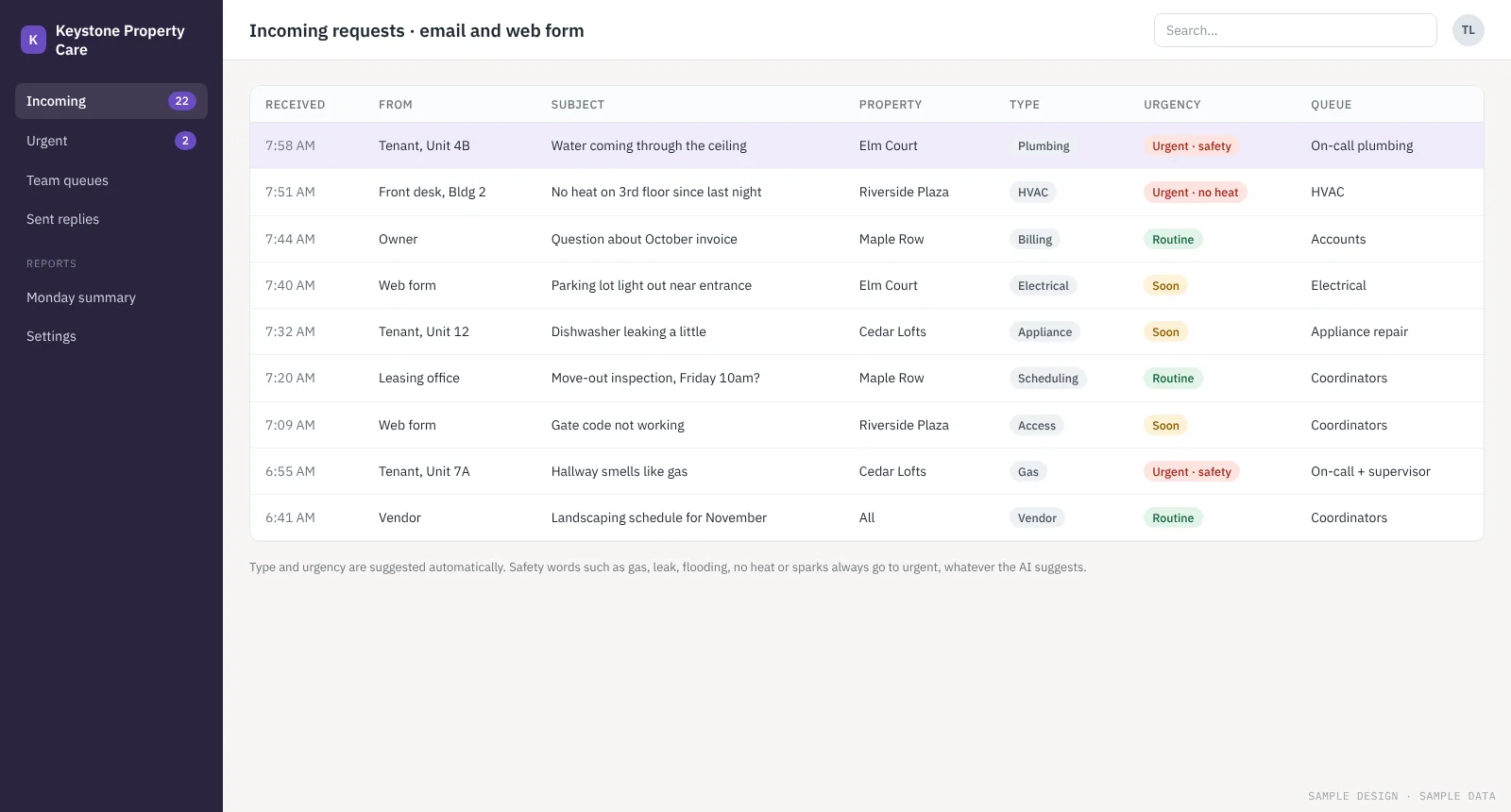
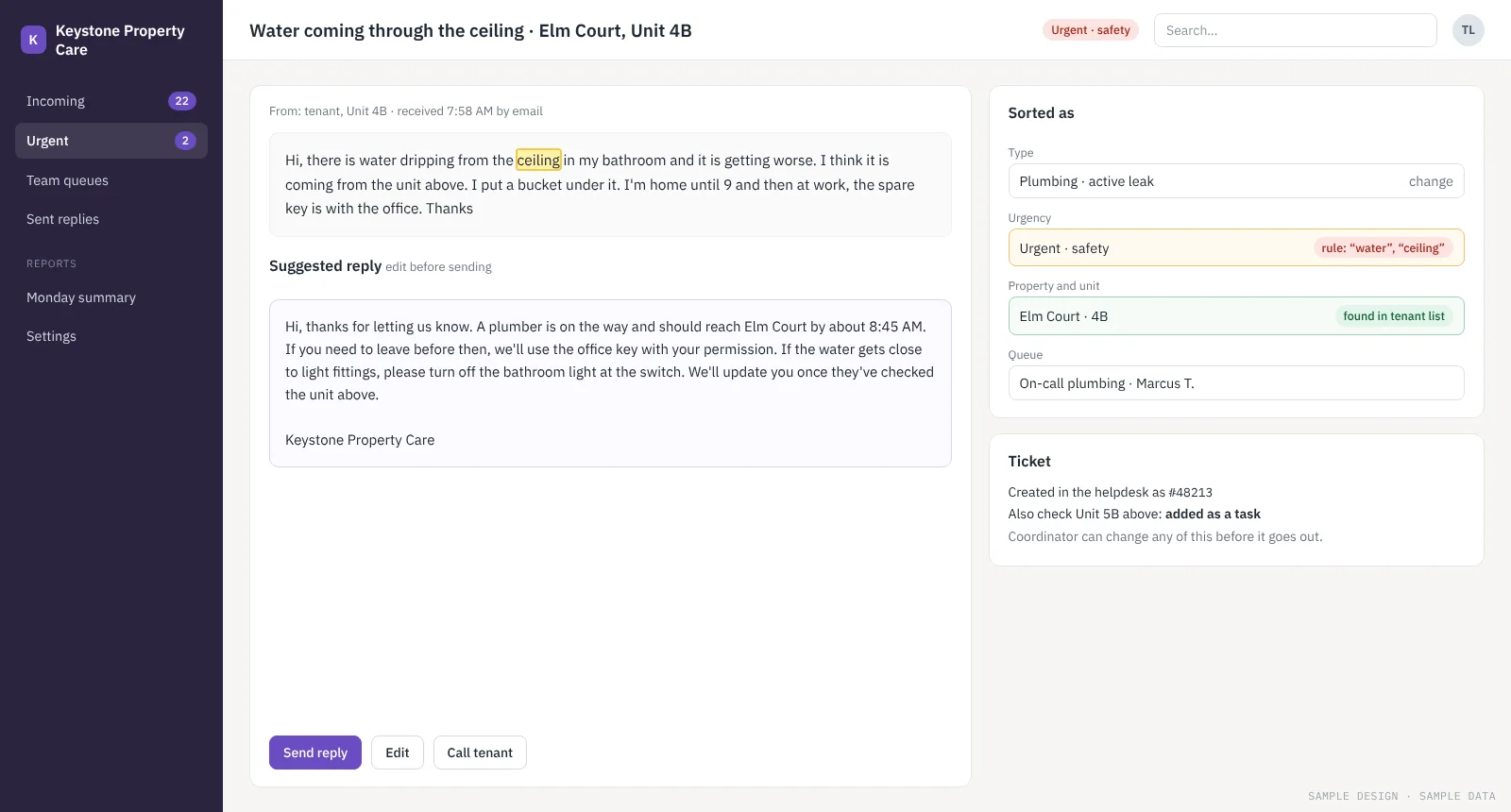
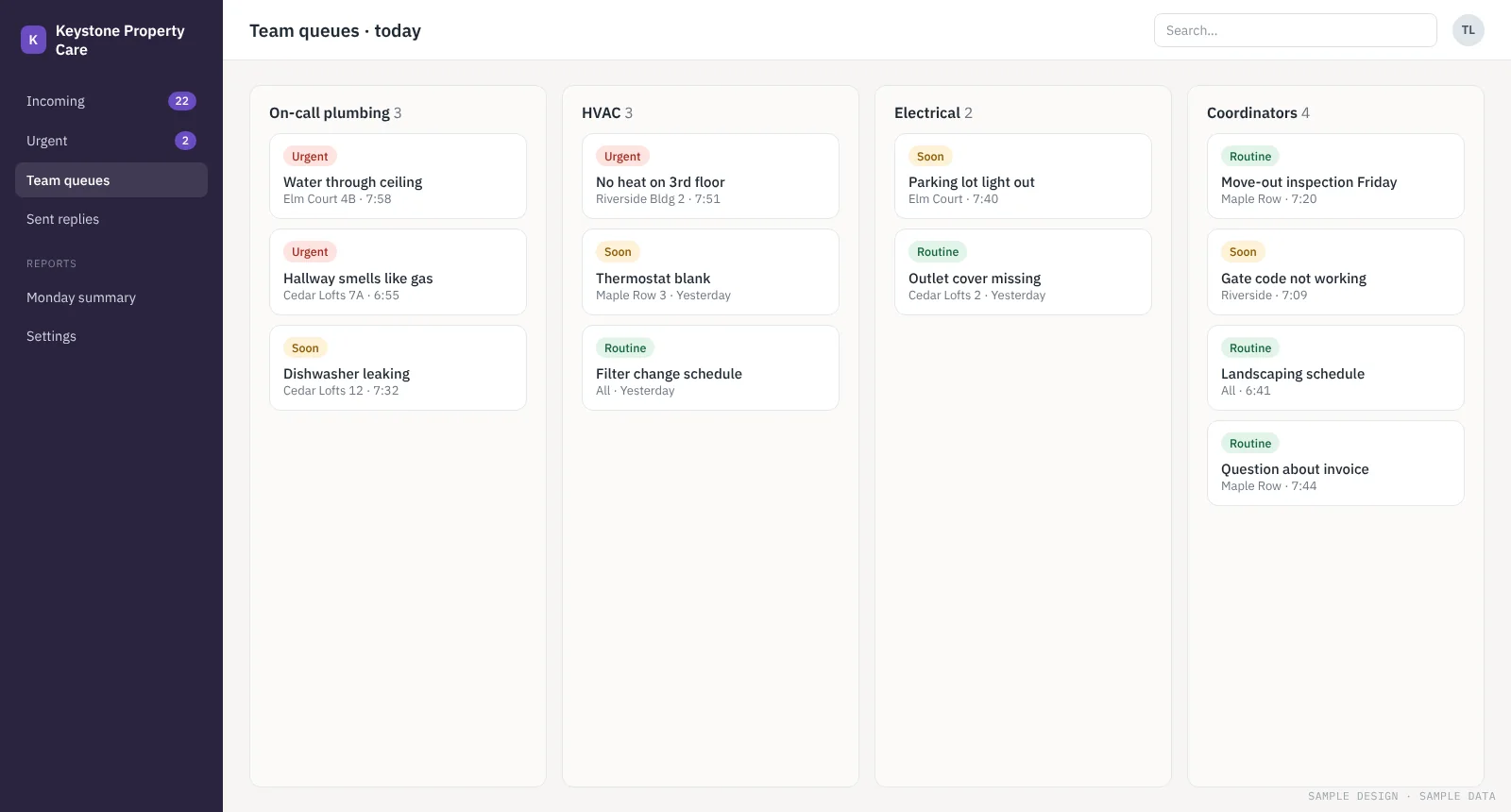
Email and request triage

Messages sorted by type and urgency, sent to the right team, with a draft reply ready.

Data entry between systems

Details from web forms, emails and spreadsheets entered into your CRM or ERP without copy and paste.

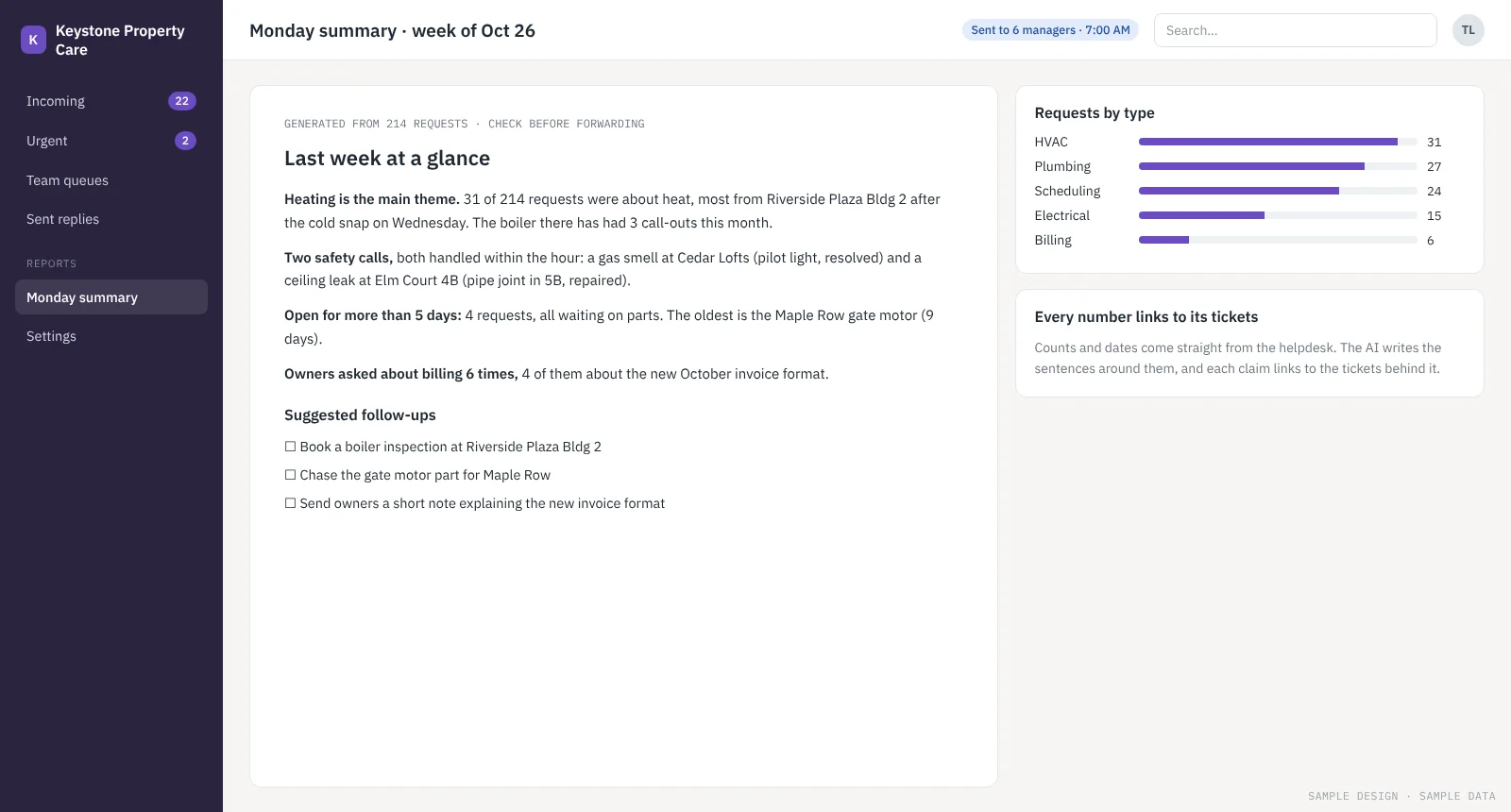
Reports and summaries

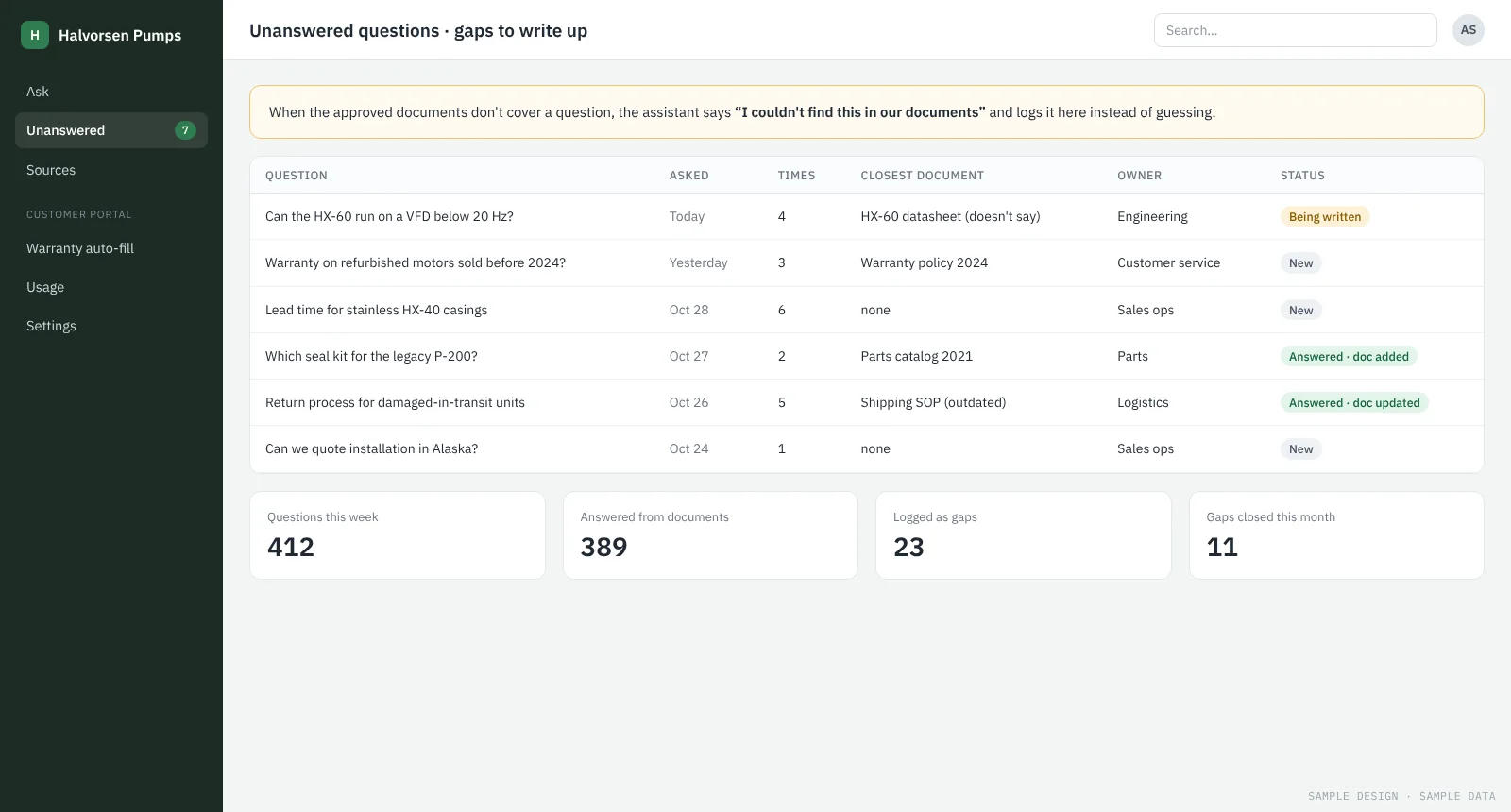
Weekly briefings built from your systems, with every figure traceable to its source.

Knowledge search

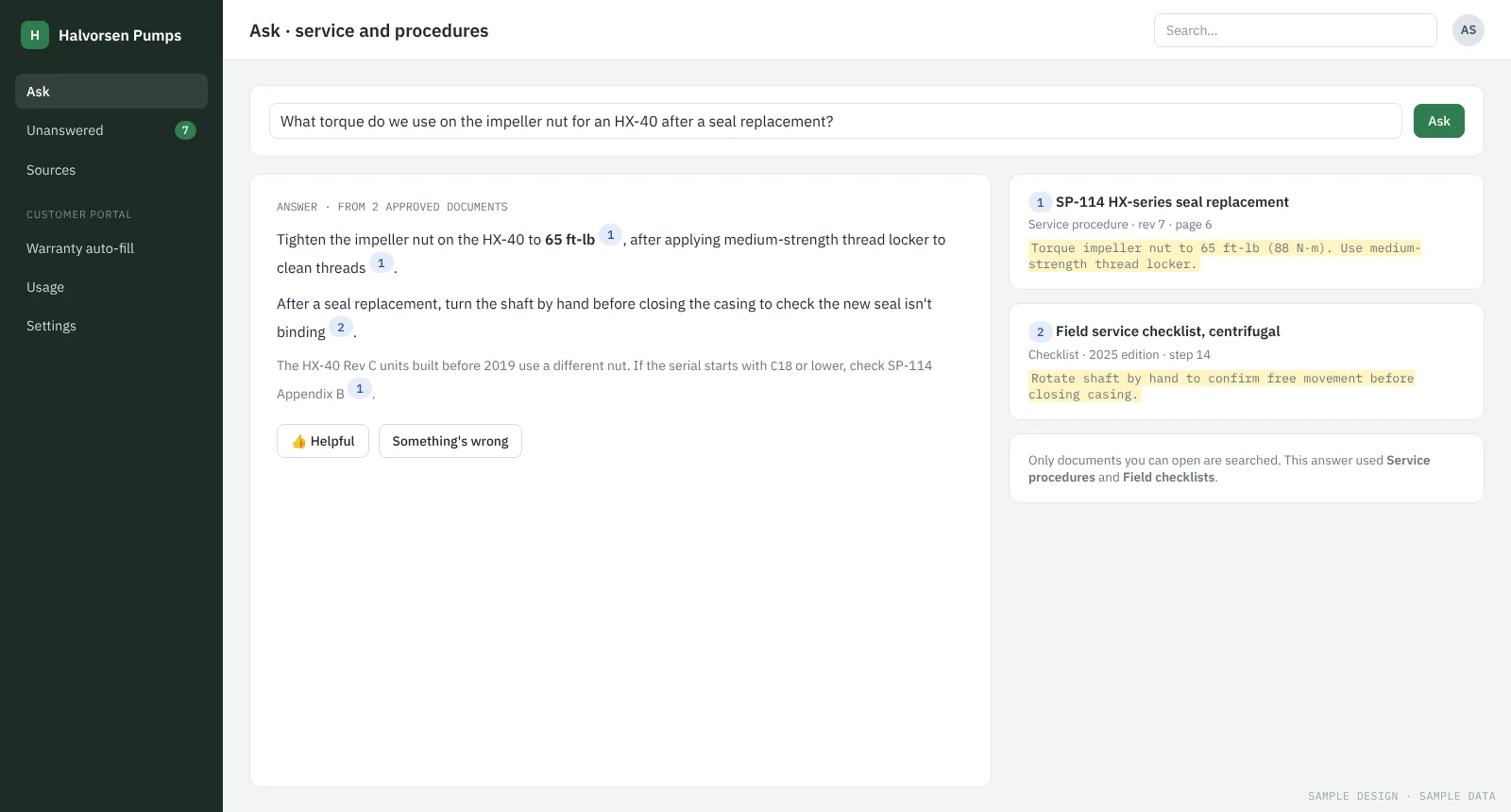
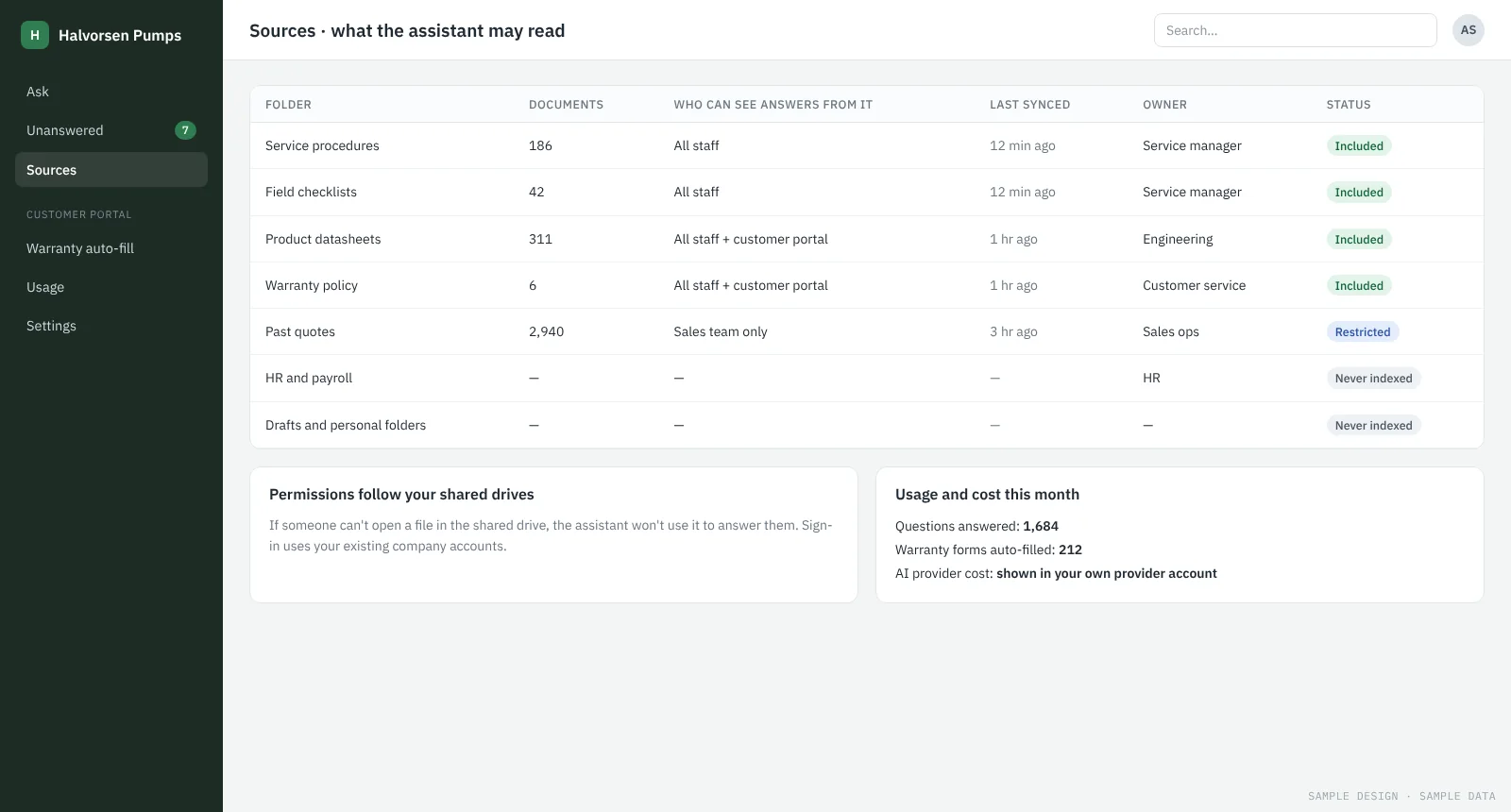
Staff find answers across shared drives and old projects without asking the same colleague every time.

AI features in your product

Upload-and-auto-fill, smart search or summaries added to the software you sell.

Tools we connect to

Outlook and GmailSharePoint, Google Drive and DropboxQuickBooks, Xero and other accounting toolsCRMs and ERPsHelp desksYour own databases and APIs
How it works

How an automation project runs

  1. Map the process. Walk through how the work is done today and where the hours go.
  2. Prototype on your data. Build the automation on a set of your real past examples and show you the results.
  3. Connect and review. Plug it into your systems with a review screen, so people approve anything unusual.
  4. Measure and extend. Report on time saved and quality each month, then automate the next process.
Safeguards

How we keep it reliable

  • Fixed rules first, AI only where rules can’t do the job
  • Each extracted value shown next to where it came from
  • Totals, dates and deadlines calculated in code, never by AI
  • Unusual cases always go to a person
  • Tested on your past data before go-live
Work

See it in practice

Questions

AI Workflow Automation Services: common questions

What is AI integration?

Connecting AI models to the software a business already uses, so AI can read and act on that business’s own data: emails, documents, records and requests. It’s usually more useful than a stand-alone AI tool because the results land where your team already works.

Which processes are worth automating first?

Ones that are frequent, repetitive and follow a pattern, such as reading the same kind of document or sorting the same kinds of email. The free assessment helps you pick the one with the clearest payback.

Do we need clean data first?

Not usually. We work with documents and emails as they are today. Part of the prototype is finding out where messy data causes problems and handling them.

How long until it’s running?

A prototype on your own data takes 2 weeks. Connecting it to your systems and rolling it out usually takes a few more weeks.

Get a free AI assessment

Tell us what you have in mind. The first conversation and the assessment are free.